Universal Fitness App Recovery · Training · Nutrition
Download Free

AI-powered performance intelligence

Know when
to push.
Know when
to rest.

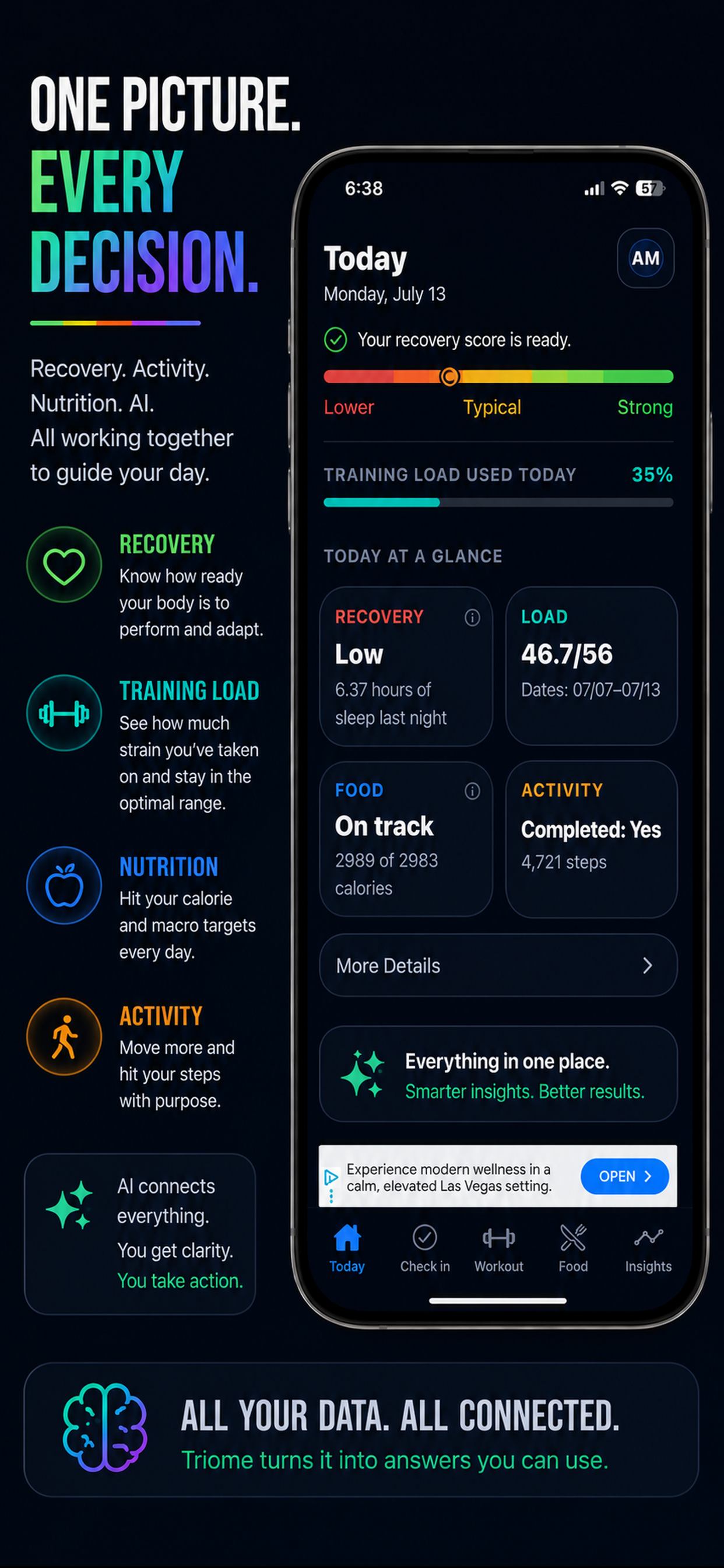
For the first time, your training, nutrition, and recovery explain each other. Not one more app to track. One platform that tells you what it all means.

Download on the App Store Free. No subscription. iPhone only.
Today's Recovery Wednesday
74 %

Recovery Looks Stable

Sleep 6.8 hrs
Training load 35 / 54
Nutrition On track
Soreness Moderate
The problem

You're already tracking.
Nothing connects.

Every app you use captures data. None of them explain it. They measure what happened. They can't tell you why.

Your training app doesn't know you slept 5 hours

So it can't tell you whether today's session will build fitness or break it down.

Your nutrition data has no idea how hard you trained yesterday

Disconnected from the physiological stress you're carrying, it can't explain what your body actually needed.

Your sleep data lives in a silo

It tells you how you slept. Not what that means for how hard you should train today.

Three data sources. No explanation. That's the problem Universal Fitness App was built to solve.

The solution

One check-in.
Everything connected.

Training + Nutrition + Recovery Daily Recovery Score

Sixty seconds every morning. One number that tells you what your body is actually capable of today — and why.

Four systems. One explanation.

Most apps track one. Universal Fitness App connects all four into a single understanding of your body.

Recovery

Recovery connected to everything else

Your recovery score is built from what you felt, not just what a sensor inferred. Sleep quality, soreness, HRV, readiness — weighted into one number that tells you what your body can actually handle today.

  • Daily readiness check-in
  • HRV & sleep quality
  • Readiness score, not an estimate
  • Soreness in context

Training

Training interpreted through recovery

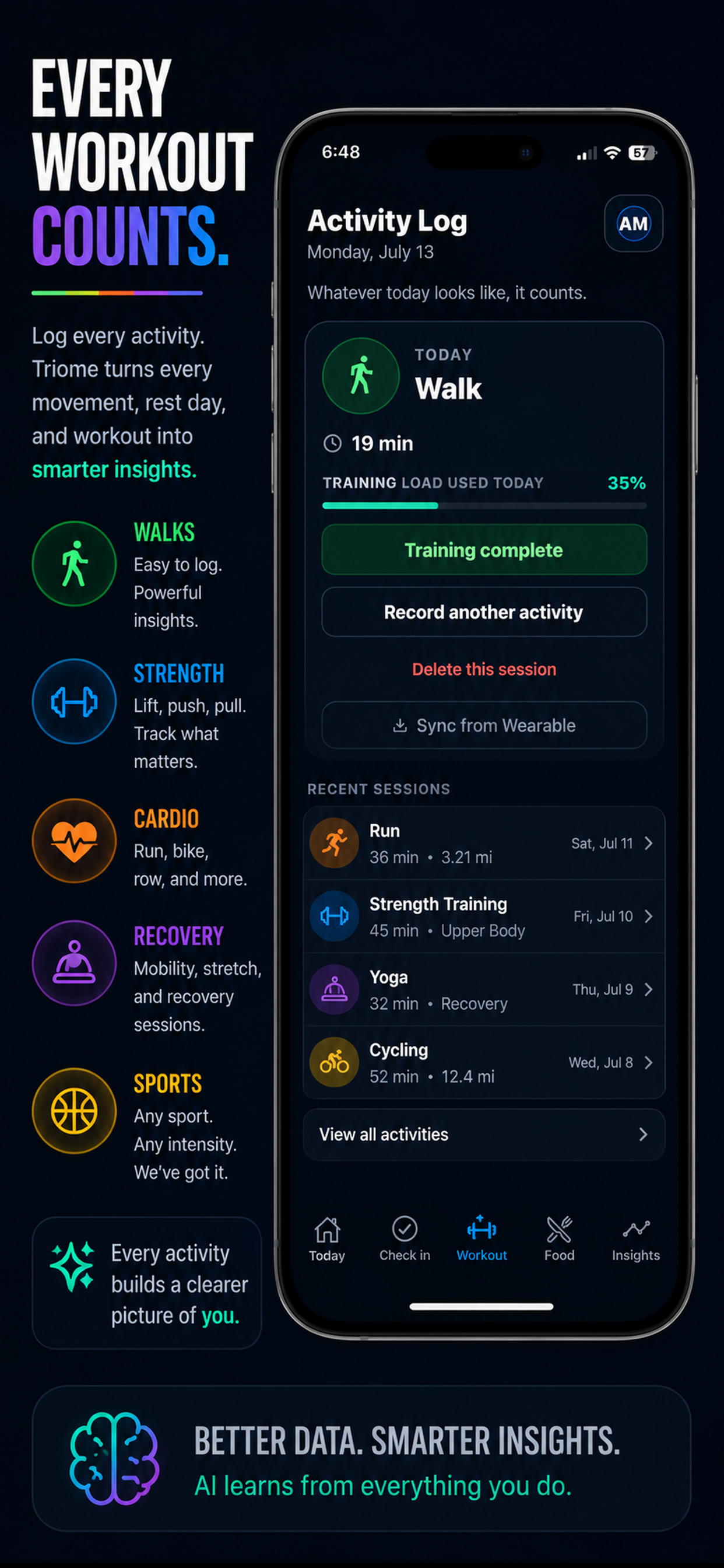
Every session adds to your running load — strength, cardio, sport, recovery work, rest days. Universal Fitness App shows where you stand relative to your capacity, not just what you did.

  • Strength, cardio & sport
  • Cumulative load tracking
  • Capacity vs. demand
  • Wearable sync

Nutrition

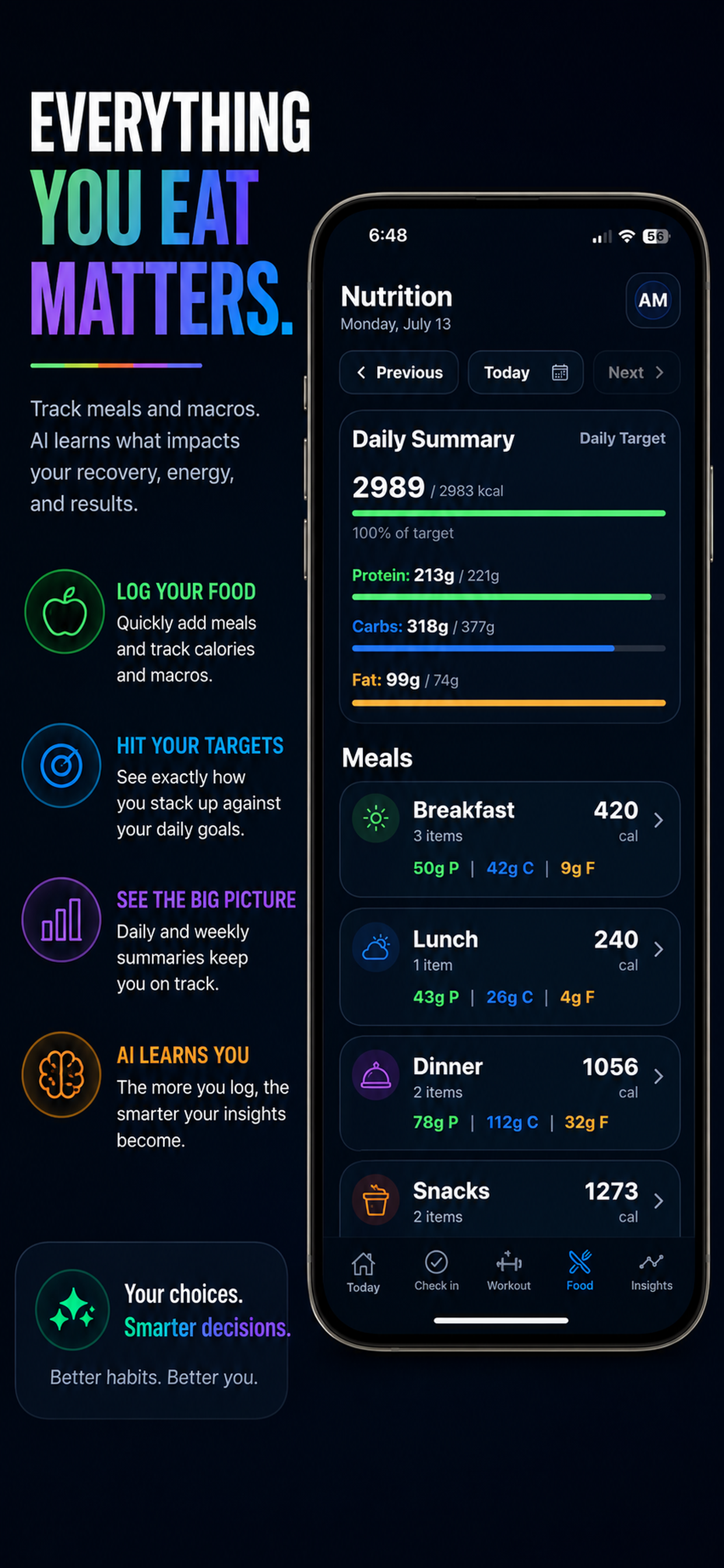
Nutrition explained by training

Snap a photo or log manually. Universal Fitness App connects what you ate to how you trained and how you recovered — so you understand the relationship, not just the numbers.

  • AI photo recognition
  • Nutrition connected to recovery
  • One-tap meal copy
  • Targets tied to training load

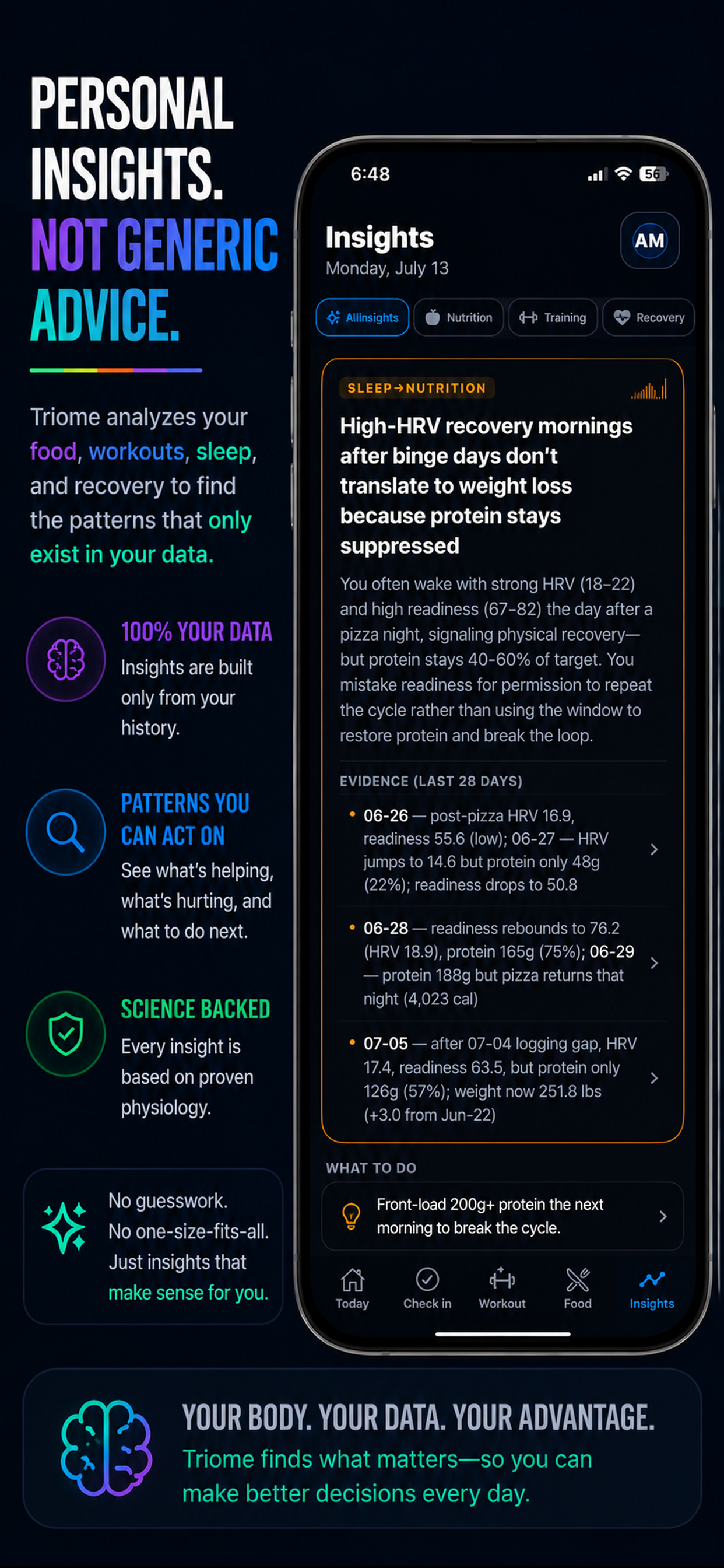
AI Insights

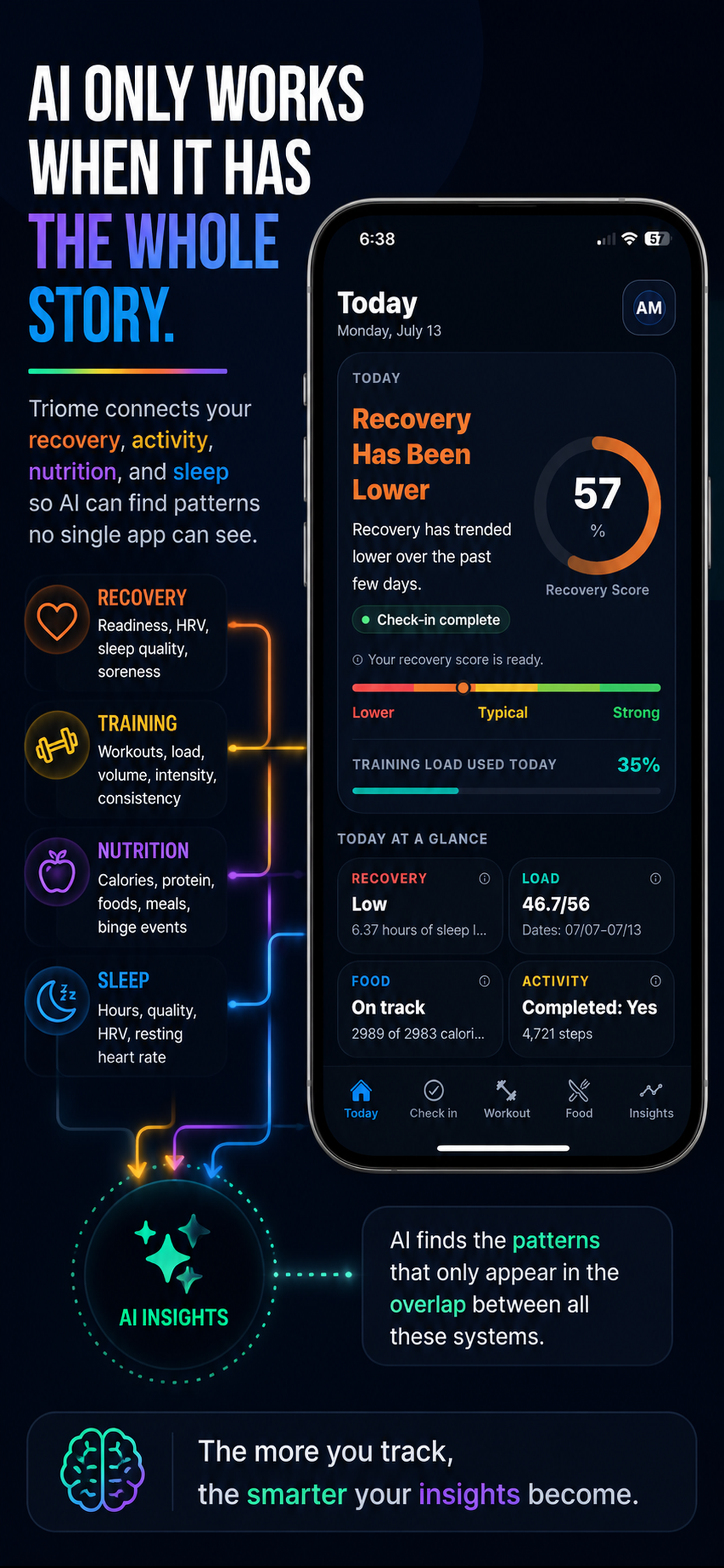
Patterns no single app can see

Every week, Universal Fitness App's AI reads 28 days across all four systems simultaneously — finding cross-system connections that only become visible when everything is in the same room. Not tips. Evidence.

  • Weekly pattern analysis
  • Evidence with exact dates
  • Your history only
  • One specific action to try

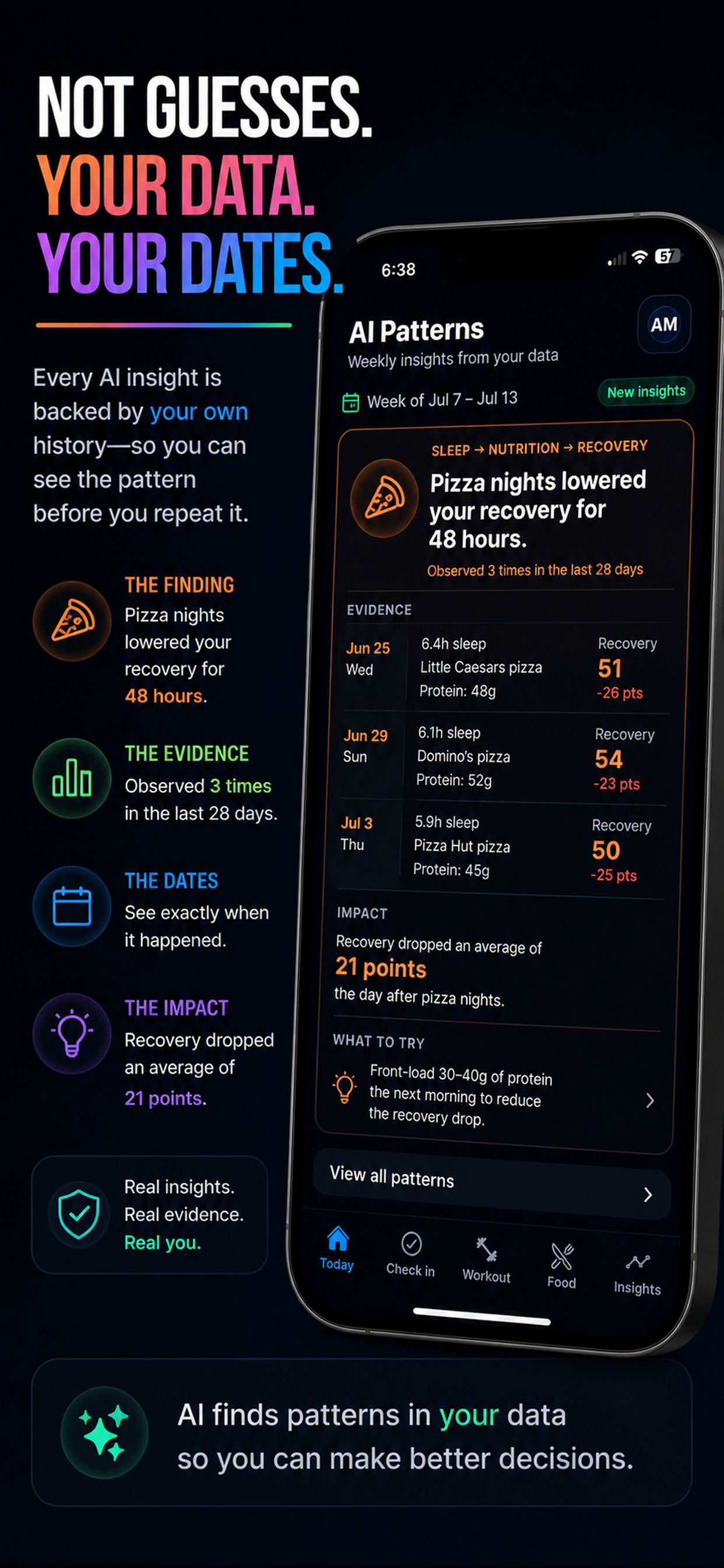
AI Patterns

Not guesses.
Your data.
Your dates.

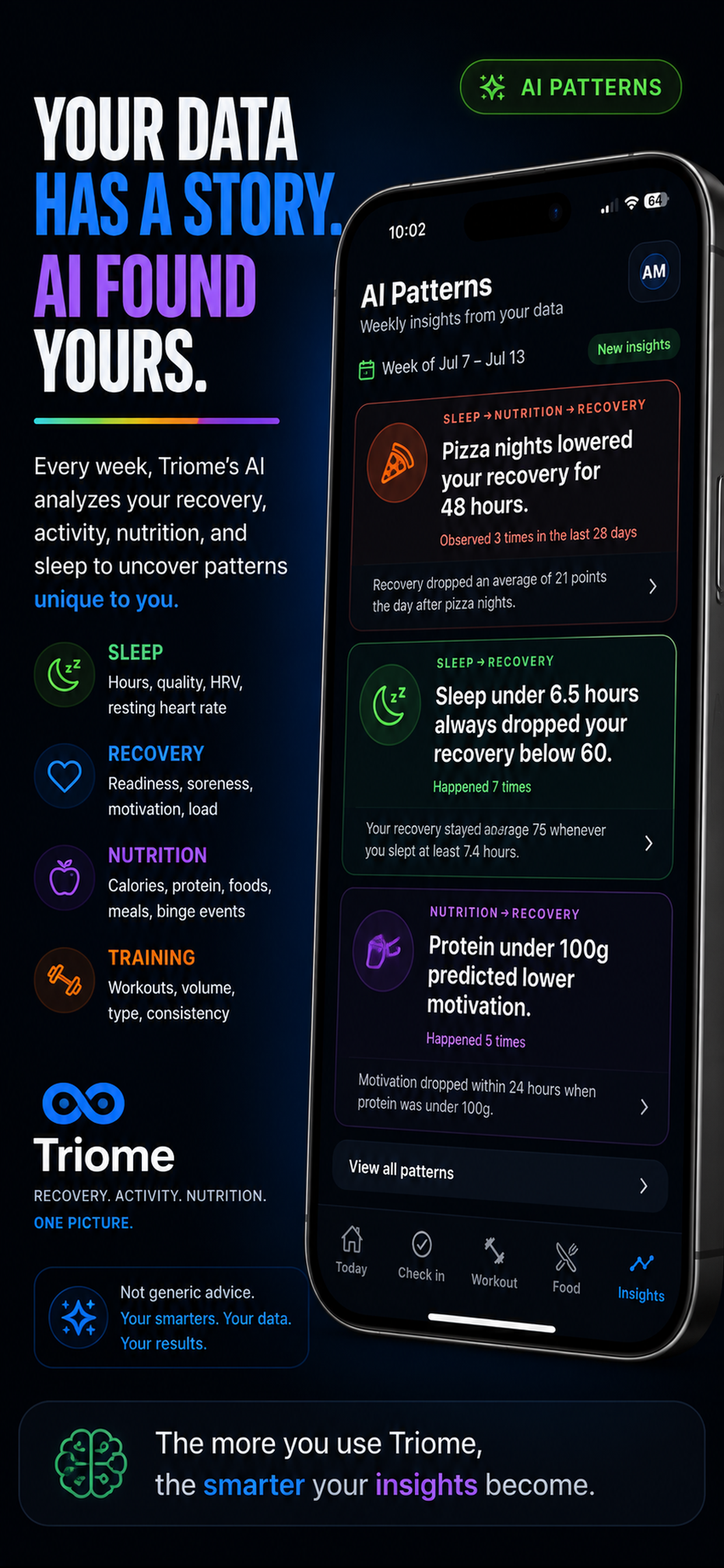
Every week, Universal Fitness App's AI reads 28 days of your recovery, nutrition, sleep, and training simultaneously — finding connections that only become visible when all four are in the same room.

Not population averages. Not internet advice. Not what works for most athletes. What works for you — based on what has actually happened in your body, with dates to prove it.

😴
Sleep under 6.5 hours always dropped your recovery below 60 Confirmed across 7 nights · Not a theory. Your pattern.
💪
Protein under 100g predicted lower readiness the next day 5 observations in 28 days · Your data, not a study.
📅
Back-to-back hard days drove recovery below 55 every time 4 times in 28 days · Not advice. Your pattern.
What to expect — and when

The data gets smarter
every day you use it.

Most apps are most useful on day one. Universal Fitness App is the opposite — it gets more accurate and more specific to you the longer you use it.

Day 1

Your baseline

Your first recovery score. The starting point everything that follows is measured against.

Day 3

Your first trend

Sleep patterns start emerging. You can see how yesterday's session is affecting today's capacity.

Day 7

Your first weekly pattern

AI identifies something specific to you — a pattern in how your body responds to training, sleep, or nutrition that you couldn't see from the inside.

Day 30

You understand your body

You know which days you recover well. You know what wrecks your sleep. You know when to push. The guessing is gone.

Who it's for

Built for a specific
kind of athlete.

Universal Fitness App works best for athletes who already take performance seriously. If that's you, this will feel like something you've been missing.

This is for you if
  • You train 4 or more days a week
  • You already track something — Garmin, Apple Watch, Whoop
  • You've felt what overtraining actually costs you
  • You make decisions based on data, not just feel
  • You want to understand your body, not just measure it
This isn't for you if
  • You want a workout plan or meal plan
  • You're looking for motivation and reminders
  • You train once or twice a week casually
  • You want to be told exactly what to do
The daily loop

Three steps.
Every morning.

Step 1

Check in

Rate your sleep, soreness, and readiness. About 60 seconds. This is the signal that makes your score real — not an estimate from a watch.

Step 2

See what your body can handle

One number built from what you felt, what you ate, and how much you've already asked of your body. Not estimated. Calculated from you.

Step 3

Feed the intelligence

Record your session, snap a photo of your meal, or copy yesterday in one tap. Every entry makes your next weekly pattern sharper.

See it in practice

Every screen answers one question: what does your body need today?

Start understanding your body.

Free. 60 seconds a day. Seven days in and Universal Fitness App already knows more about your patterns than a year of separate apps.

Download on the App Store

Free to download. No subscription. iPhone and iPad.

FAQ

Is this for serious athletes?

Yes. That's exactly who it's built for. If you train consistently, already track something, and understand that recovery is part of the work — this is for you.

When does it start being useful?

Day 1 gives you a baseline. Day 7 gives you your first weekly pattern. Day 30, you understand your body in a way years of training alone doesn't give you.

How does the AI find patterns?

Every week it scans 28 days of your recovery, training, nutrition, and sleep — looking for cross-system correlations that appear repeatedly. When it finds one, it shows you the exact dates as evidence and a specific action to try.

Does it give me advice?

It gives you evidence, not instructions. You see what your body has responded to and what it hasn't. The decisions stay yours — but now they're informed by your own history, not generic advice.

How does nutrition work?

Snap a photo of your meal and AI reads what you ate. Or log manually. The goal isn't calorie counting — it's connecting what you eat to how you train and recover.

Is it free?

Free to download. No subscription. No paywall. Everything from day one.

What about Android?

iPhone and iPad only for now.